Editor score 4.2 / 5
Introduction When preparing to purchase Fendi items, seeing a "coupon" or discount notice does not guarantee the discount can be used at checkout. The discount may be affected by claim time, start time, end time, product scope, minimum amount, region, account status, or stacking rules. This article focuses on a specific decision: how to determine whether a Fendi discount is still within its usable window before submitting an order. This article explains the method based solely on the currently v
Introduction
When preparing to purchase Fendi items, seeing a "coupon" or discount notice does not guarantee the discount can be used at checkout. The discount may be affected by claim time, start time, end time, product scope, minimum amount, region, account status, or stacking rules. This article focuses on a specific decision: how to determine whether a Fendi discount is still within its usable window before submitting an order.
This article explains the method based solely on the currently visible Fendi brand page and checkout verification logic on Fashionreps. The current page records show Fendi product listings and reference prices, but do not provide verifiable coupon codes, specific discount amounts, validity periods, or applicable thresholds. Therefore, the following content does not treat the reference prices on the page as discounts, nor does it guarantee that any product can definitely use a coupon.
Clarifying the Order Decision That Fendi Coupon Time Verification Should Resolve
After completing verification, you should be able to make a choice among the following three outcomes:
- Discount conditions and deadline are confirmed, and you can proceed to checkout.
- The page shows a discount, but key time or applicable conditions are missing, requiring additional evidence before deciding.
- The checkout page does not retain the discount, or the system indicates it is not applicable; you should postpone submitting the order and consult the platform.
This method applies to verifying discounts before, during, or after browsing Fendi items on Fashionreps and preparing to switch to your chosen purchasing platform or shopping agent. It does not apply to treating third-party search results, expired screenshots, or unconfirmed social media discounts as currently valid rules.
Recording Product, Coupon Description, and Time Fields from the Currently Visible Fashionreps Page
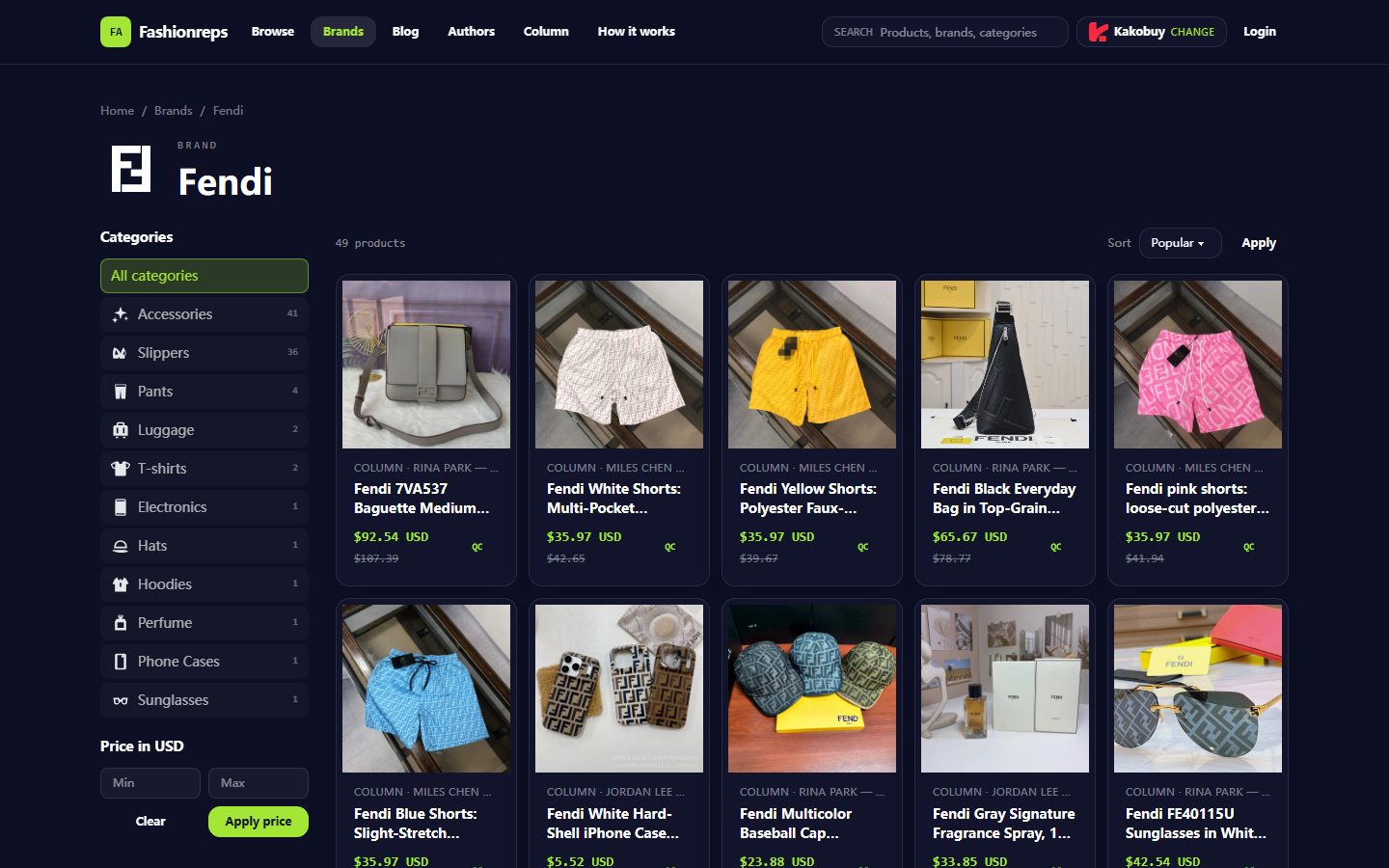
The current page records show that Fashionreps' Fendi brand page contains multiple product categories and displays product names, reference prices, and previous reference prices. For example, the page records information on Fendi 7VA537 Baguette Medium Messenger, various styles of shorts, footwear, accessories, perfumes, and phone cases. This content only helps you confirm the products and page you are viewing; it is not equivalent to a coupon description.

When verifying, first record the following information:
- Full product name, color, size, or capacity.
- The current reference price and previous reference price shown on the page.
- Where the discount notice appears: product page, cart, account page, or checkout page.
- Whether the discount shows a code, claim button, applicable threshold, or usage instructions.
- Record the time and note the time zone used.
If the page only shows reference price changes without explicitly stating the coupon name, discount method, or validity period, it can only be recorded as price information, not inferred as a coupon being effective.
Checking Claim Time, Start Time, End Time, and Time Zone Prompts
A complete time verification should distinguish at least four fields:
- Claim time: Whether the discount needs to be claimed first, and whether it enters your account immediately after claiming.
- Start time: When the discount can be used; do not treat the claim time as the start time.
- End time: When the discount stops being accepted; confirm whether it starts and ends on the same day or is precise to specific hours and minutes.
- Time zone: Whether the page uses local time, platform time, or another region's time.
If the page only says "limited-time offer" or "ending soon" without a specific date and time zone, mark it as "page does not specify." If the deadline has passed or the system shows the discount has ended, stop using it for order amount estimation.
Time fields should also be checked together with product conditions. Even if the discount is still within the time window, it may only apply to specified categories, specified amounts, specified accounts, or specified purchasing platforms. For Fendi items, you cannot assume that a single coupon covers the entire brand catalog just because there are multiple products on the same brand page.
Checking Whether the Discount Status on the Checkout Page Still Matches the Rules
Before entering checkout, it is recommended to check in the following order:
- Confirm that the items in the cart match the name, color, and size you just recorded.
- Check whether the discount section shows claimed, applied, pending conditions, or not applicable.
- Check whether the discount amount or percentage is actually reflected in the order subtotal.
- Look for prompts about minimum spend, excluded products, quantity limits, or account restrictions.
- Check whether shipping fees, service fees, taxes, and other charges are excluded from the discount.
- Reconfirm before submitting the order that the discount status has not changed to invalid or removed.
If the discount only appears on the product page but does not appear in the cart or checkout page, do not treat the product page notice as final. If the checkout page requires entering a code, the result after entering should be the standard; if the code source, validity period, or applicable conditions cannot be confirmed, do not repeatedly attempt actions that may lead to account restrictions.
Distinguishing Confirmed Validity, Page Not Specified, and Conditions Requiring Consultation
You can categorize verification results into three types:
Confirmed: The page clearly shows the discount name, usage conditions, start time, and end time; the checkout page also shows the discount has been applied, and the product and account meet the requirements.
Page not specified: The page shows a promotional notice, but lacks complete time, threshold, exclusions, or applicable scope. In this case, only save the record; do not include the discount in estimated savings.
Requires consultation: The checkout page indicates not applicable, the discount amount differs from the description, the time zone cannot be determined, or the rules shown on the page conflict with the discount status in your account.
When consulting, provide only necessary information, such as the product name, page notice text, error message, and screenshots without personal order information. Do not disclose the full order number, payment card information, passport details, or complete shipping label. If screenshots contain address, phone number, account identifier, or payment information, redact them first.
How to Save Verification Evidence When Page Refreshes or Cross-Time-Zone Operations Occur
When the discount time is close to the deadline, page refresh may change the display status. To preserve reviewable records, you can save the following:
- When the page URL is automatically saved by the system, record the page name and access time.
- In screenshots, keep the product name, discount description, time fields, and checkout status.
- In your notes, write the local date, time zone, and currency used.
- Save the status before and after refresh, distinguishing "page display" from "checkout page applied."
- If operating across time zones, use the time zone explicitly marked on the page; do not convert it yourself and write the result as platform-confirmed time.
If the discount disappears after refresh, the post-refresh checkout status should be the current result, and keep previous records as evidence of the change. Screenshots can only prove what the page displayed at that time; they cannot prove the discount is still valid later.
Do Not Infer Product Availability from the Mere Existence of a Coupon on the Page
The currently visible Fendi page on Fashionreps primarily provides brand categories, product names, and reference price information. The existing records do not provide a verifiable Fendi coupon code, validity period, threshold, exclusions, stacking rules, or checkout results. Therefore, this article cannot confirm that any usable Fendi discount currently exists, nor can it calculate actual savings.
Pay special attention to the following misconceptions:
- Reference price decrease does not equal coupon discount.
- Promotional text on the product page does not mean the discount has been applied in the cart.
- Multiple products on the brand page do not mean the discount covers the entire brand.
- Successful claim does not mean the usage threshold has been met.
- Discount shown on the checkout page does not mean shipping, taxes, and service fees are reduced accordingly.
- Old screenshots or old codes do not mean they are still valid now.
Checklist for Proceeding to Checkout, Gathering More Evidence, or Postponing After Verification
If the discount name, time window, applicable products, and checkout discount are all confirmed, you can continue to verify the final amount due and then decide whether to submit the order. Before submitting, still check shipping fees, taxes, purchasing platform rules, and after-sales conditions.
If only some conditions are confirmed, first supplement missing evidence, such as the complete deadline, applicable scope, or checkout page status. During the evidence-gathering period, do not use the estimated post-discount amount for payment budgeting.
If the discount has expired, is not applied on the checkout page, rules conflict, or the platform cannot confirm, you should postpone checkout. Doing so may temporarily lose an uncertain discount opportunity, but it can avoid additional expenses due to incorrect estimation. This verification method is suitable for those who need to control their budget accurately, operate across time zones, or plan to purchase multiple items; it is not suitable for treating unconfirmed promotions as a reason to place an order immediately. 🧾⏰🔍✅