Editor score 4.2 / 5
The current verification materials do not provide a verifiable Apple coupon code, applicable period, minimum spend, or specific discount amount, so it cannot be asserted that placing an order will save money. For this square black smartwatch, the correct approach is to first confirm the product identity, then check the coupon conditions, and finally only rely on the actual discount shown on the checkout page. 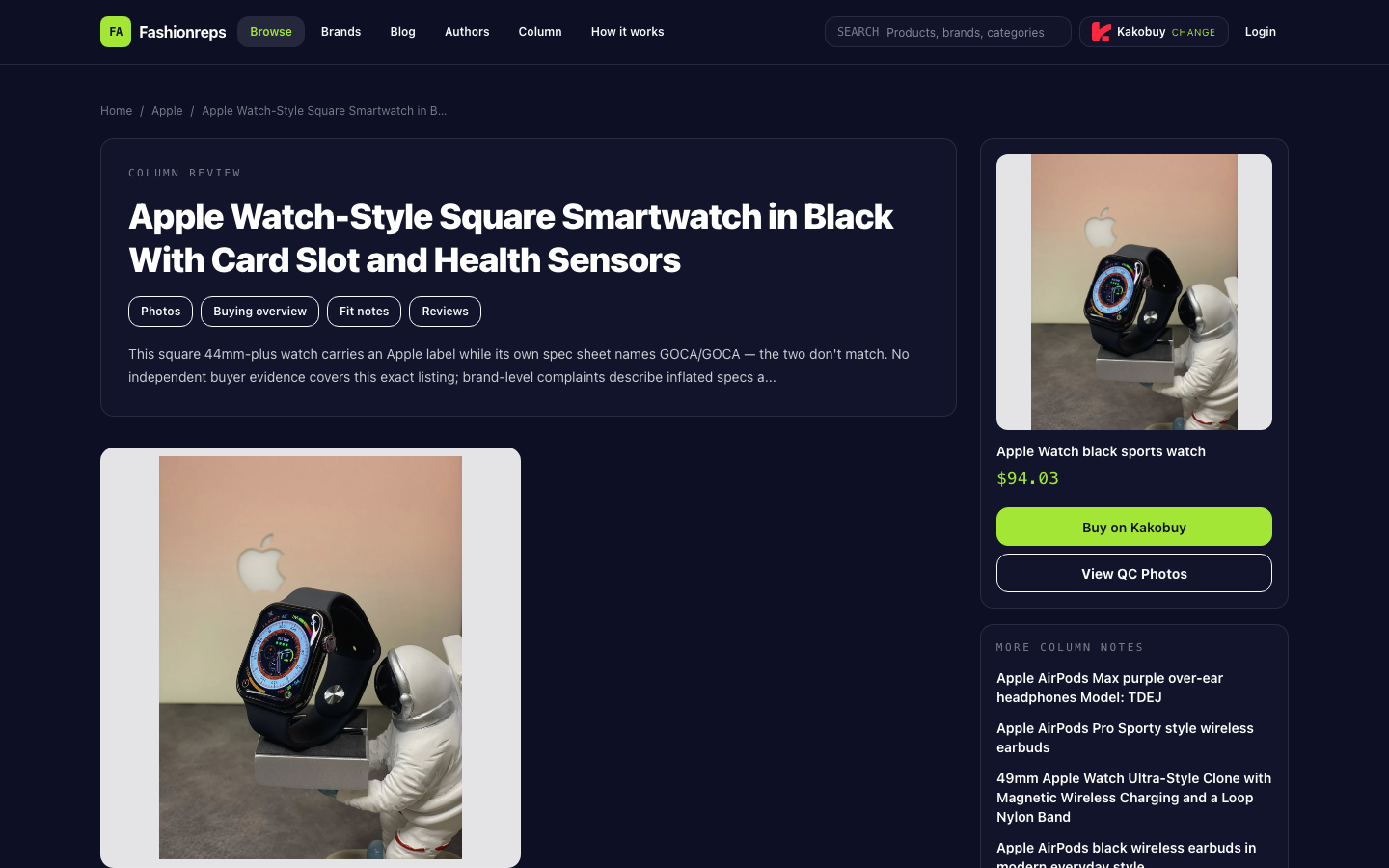
The current verification materials do not provide a verifiable Apple coupon code, applicable period, minimum spend, or specific discount amount, so it cannot be asserted that placing an order will save money. For this square black smartwatch, the correct approach is to first confirm the product identity, then check the coupon conditions, and finally only rely on the actual discount shown on the checkout page.

First confirm which item you are checking
The product page shows a black, square, 44mm+ case, with a listed weight of 45.5 grams, and includes information about card slot, NFC, Bluetooth calling, heart rate, blood pressure, blood oxygen, and sleep monitoring. The page also shows a reference price of $94.03, but the product price, service fee, and international shipping need to be confirmed at checkout on the shopping agent website.
More importantly, the page title uses the Apple name, but the product's own brand field says GOCA/GOCA, which is inconsistent. Before placing an order, record the following information to avoid applying the coupon to the wrong model or variant:
- Product page name and product link
- Brand field, model or style number
- Color, case size, strap, and other accessory variants
- Product price and currency shown on the page
- Date and time of inquiry
If the seller cannot confirm the model, or the product page still mixes Apple branding with the GOCA/GOCA brand field, stop payment first. Do not assume it is an official Apple device just because the word "Apple" appears.
Check the coupon against four layers of conditions
The current materials do not have a verifiable coupon code or official discount rules, so you can only check in the following order. Do not treat the reference price on the page as the discounted price.
The first layer is product scope. Confirm whether the coupon applies to smartwatches, and not only to phones, tablets, official accessories, or specific Apple models. If the rules require an exact model, also check the model field, not just the product title.
The second layer is variant restrictions. Confirm whether the black color, 44mm+ case, specific strap, or card slot version is excluded. If the coupon only covers some colors, capacities, or accessory combinations, recheck the coupon status after switching variants.
The third layer is amount and time conditions. Record the minimum spend, discount amount or percentage, currency, validity period, and applicable region. If there is no clear expiration date or calculation method, do not calculate the discount amount on your own.
The fourth layer is stacking restrictions. Confirm whether the coupon can be combined with store discounts, platform promotions, balance, points, or other codes. If the checkout page shows only one discount item, do not infer that other discounts have been stacked.
Break down the actual discount on the checkout page
At checkout, do not just look at the order total. Record the product amount, discount, service fee, payment fee, and international shipping separately. A product discount reduces the product amount only; it does not mean that service fees, payment fees, or shipping will decrease accordingly.
| Item | What to check |
|---|---|
| Product amount | Whether it corresponds to the selected model, color, and accessory variants |
| Discount | Whether it shows the specific coupon name, code, discount amount, and applicable product |
| Service fee and payment fee | Whether they are recalculated after discount, or still charged according to original rules |
| International shipping | Whether calculated separately, and whether there are weight, region, or route conditions |
| Final amount due | Whether it matches the discount details and correct currency |
If after entering the coupon code no clear discount is shown, or the system says the product does not qualify, consider the coupon invalid. Do not calculate supposed savings by subtracting an estimated amount from the reference price.
Stop process when inconsistencies are found
If any of the following occurs, pause payment and confirm with the seller or shopping agent:
- Brand field on the page is inconsistent with the title
- Only "Apple" description, without a verifiable specific model
- Coupon rules do not clearly list applicable products or validity period
- Checkout page does not show coupon name and actual discount amount
- Product amount, service fee, payment fee, or shipping changes before confirmation
- Page claims health monitoring features, but no verifiable model specifications or independent buyer evidence
The existing materials for this product also record brand ownership inconsistency, buyer complaints about storage capacity and battery life, and another GOCA product with feature claims inconsistent with actual experience. Therefore, even if a discount appears at checkout, it only shows the price was reduced, not that it is an official Apple device, nor that health data is accurate or after-sales service is reliable.
Conclusion
There is currently insufficient information to prove the existence of a usable Apple coupon for this product, nor evidence to support a specific savings amount. Before ordering, first confirm the inconsistency between GOCA/GOCA and Apple branding, then check the model and variants, and finally rely on the checkout page's clearly displayed product discount, service fee, payment fee, international shipping, and final amount due. If the coupon conditions or product identity cannot be confirmed, stop payment and retain dispute protection.