Editor score 4.2 / 5
It's safer to record candidate information completely before deciding whether it's worth further verification when organizing Lee tee specs. Currently, Fashionreps' Lee brand catalog shows 2 products, with 1 tee entry explicitly offering two options: 250g Heavy or 200g Cotton. The page displays a reference price of $4.18, previously $4.89. This page helps readers locate candidates, but cannot infer wearing thickness, breathability, or actual fit based solely on the w
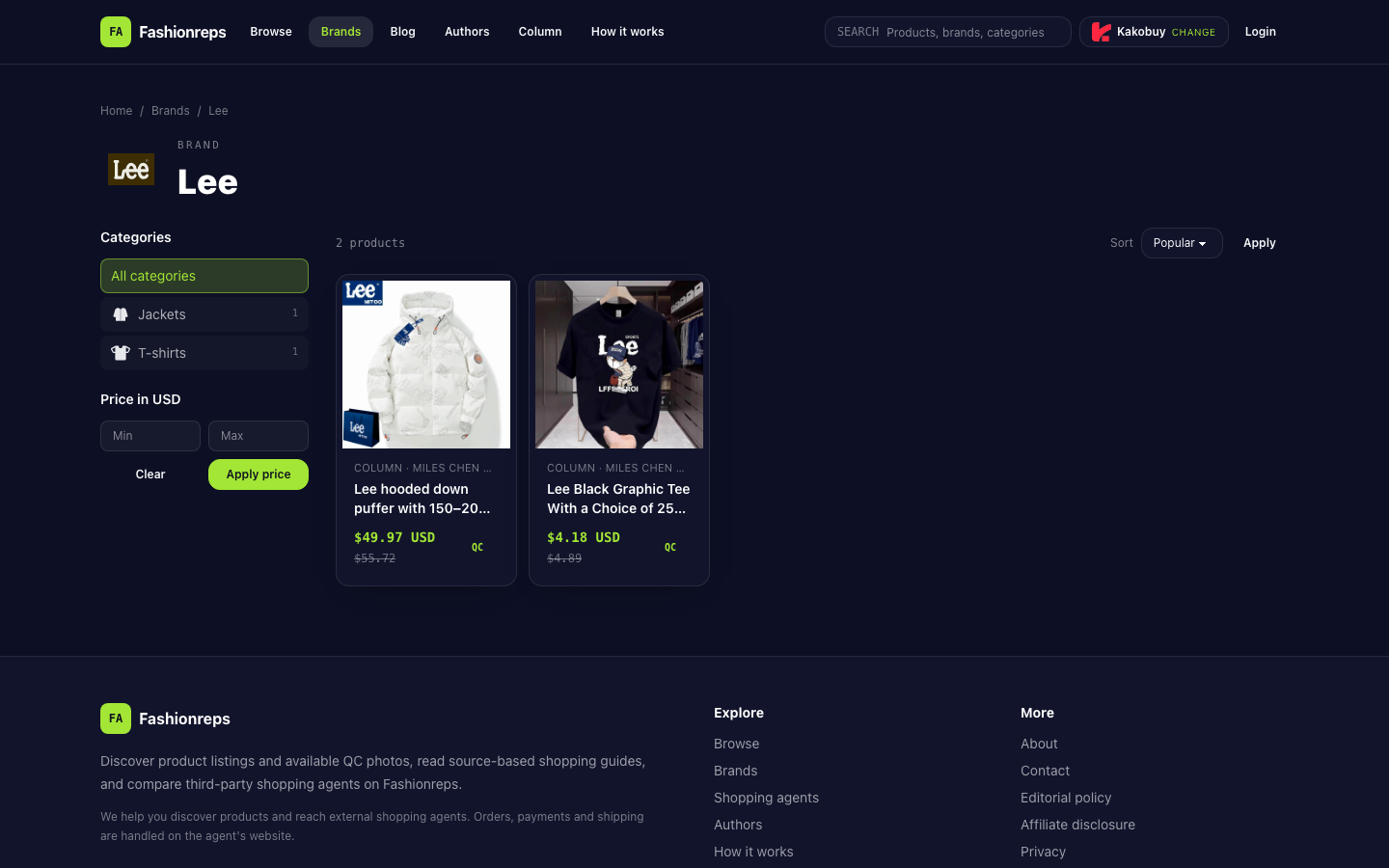
It's safer to record candidate information completely before deciding whether it's worth further verification when organizing Lee tee specs. Currently, Fashionreps' Lee brand catalog shows 2 products, with 1 tee entry explicitly offering two options: 250g Heavy or 200g Cotton. The page displays a reference price of $4.18, previously $4.89. This page helps readers locate candidates, but cannot infer wearing thickness, breathability, or actual fit based solely on the weight label.

First Confirm the Candidate Range in the Site Catalog
After entering the Lee brand catalog, first confirm the categories and product count, then open the tee entry relevant to the task. The current page provides category filters, with Jackets and T-shirts visible under Lee; the catalog also offers price filtering and sorting options. For the task of comparing tee weights only, selecting T-shirts first and then reviewing product titles and details reduces the risk of accidentally including outerwear or other categories in the candidate sheet.
When verifying, it's recommended to record in the following order:
- Does the product name explicitly mention 200g, 250g, or other weights?
- Is the weight a single spec or an option within the same product?
- Does the page also show size and color information?
- Is there an openable product link or QC image entry?
- Are the images product display images, QC images, or only catalog thumbnails?
- Which fields still need to be confirmed on the product detail page or external sources?
The current public catalog only supports recording that "this entry offers a choice of 250g Heavy or 200g Cotton." It does not provide, in the provided evidence, actual measured thickness, fabric composition comparison, post-wash changes, size chart, or stock status, so these fields should be marked as pending rather than filled with speculative values.
Use a Candidate Sheet to Separate Known and To-Be-Verified Info
Google Sheets is suitable for putting scattered page information into the same row, making it easy to filter, add notes, and trace evidence. The purpose of the sheet is not to draw conclusions for the catalog, but to separate "what you see" from "what's missing."
| Weight version | Catalog evidence | Size evidence | Image status | Missing info |
|---|---|---|---|---|
| 250g Heavy | Product title explicitly lists 250g Heavy | Provided evidence does not show a size chart | Catalog has QC entry, but no specific QC content provided | Detail page size, color, stock, and available links |
| 200g Cotton | Product title explicitly lists 200g Cotton | Provided evidence does not show a size chart | Catalog has QC entry, but no specific QC content provided | Detail page size, color, stock, and available links |
It's suggested to add several internal columns for organization, such as "Last verified time", "Evidence page", "Needs recheck", and "Notes". These fields are for managing information status and should not be mistakenly written as product attributes.
What the Catalog and Sheet Each Handle
The site catalog is responsible for discovery and returning to the original candidates. It's suitable for browsing by brand, category, price, and sorting, and for entering further details or QC entries from product entries. For this task, the catalog's most important role is to confirm whether the Lee page currently shows 200g and 250g options, and to preserve the product name and page context.
Google Sheets handles organization and review. After splitting each version into separate rows, you can filter by "Missing info", "Image status", or "Needs recheck" to avoid combining the two versions into one vague conclusion. In collaboration, you can also use notes to record who verified which field and when, but collaboration records still cannot replace product page evidence.
It's recommended to maintain a one-way review flow between the two: first discover candidates from the catalog, then transcribe the catalog text into the sheet, and finally go back from the evidence location in the sheet to the catalog or detail page for review. Don't write in the sheet from experience about the thickness feel corresponding to weights, and don't treat the reference price as current stock, final payment amount, or price including shipping.
How to Avoid Writing Specs as Purchase Conclusions
"250g Heavy" and "200g Cotton" are spec statements in the catalog, not conclusions based on actual measurement. Even if the weights differ, you cannot conclude from this field alone that one version is definitely warmer, more breathable, or more suitable for certain weather. If the page does not provide fabric composition, measured data, a clear size chart, or verifiable images, leave blanks in the sheet or note insufficient evidence.
Prices also need to be recorded separately. The current catalog shows a reference price of $4.18, along with a previous reference price of $4.89. It cannot directly represent stock, shipping, agent fees, payment amount, or final landed price. If this information is not confirmed on the corresponding page, do not expand it into a purchase cost comparison.
A Reusable Organizing Procedure
- Open the Lee brand catalog and confirm the page date and current product count.
- Enter the T-shirts category and record product titles relevant to the task.
- Register 200g and 250g as two separate candidate versions.
- Record the specs, reference price, and image entry exactly as written on the page.
- Mark size, color, stock, product links, and QC content as confirmed or pending.
- Use filters in Google Sheets to view missing fields instead of filling blanks with speculation.
- Return to the original page to verify any changed prices, links, or image statuses.
- Only when evidence is sufficient, further discuss size selection or purchase decisions.
After this organization, the site catalog remains the entry point for candidate discovery and evidence review, while Google Sheets handles version splitting, missing field management, and collaboration notes. For the current Lee tee page, the most reliable conclusion is that two catalog options exist: 250g Heavy and 200g Cotton; as for actual thickness experience, size fit, and purchaseability, more evidence from the corresponding pages is needed.