Editor score 4.2 / 5
Conclusion First Seeing "payment failed" does not necessarily mean the order was not created, nor does it mean the bank card or payment account definitely has no authorization record. The safest order of handling: first save the product and error information, then verify the order status and payment channel records; do not repeatedly attempt payment before the result is confirmed. Fashionreps pages are mainly used to discover products, view source information, and
Conclusion First
Seeing "payment failed" does not necessarily mean the order was not created, nor does it mean the bank card or payment account definitely has no authorization record. The safest order of handling: first save the product and error information, then verify the order status and payment channel records; do not repeatedly attempt payment before the result is confirmed.
Fashionreps pages are mainly used to discover products, view source information, and enter external shopping agents; orders, payments, and logistics are handled by the selected agent website. Therefore, after a payment failure, the key places to check are usually the agent platform where the order was actually placed and your payment channel, not just the product page.
First Save Complete Information About This Payment
Before closing the page or retrying, record the following:
- loewe product page or cart link
- Product name, style, size, color, and quantity
- Order draft number, order number, or checkout page screenshot
- Exact time and time zone of the payment attempt
- Complete error message displayed on the page
- Payment method used and the status shown by the payment channel
- Whether the browser or app redirected, refreshed, or got stuck in processing after payment
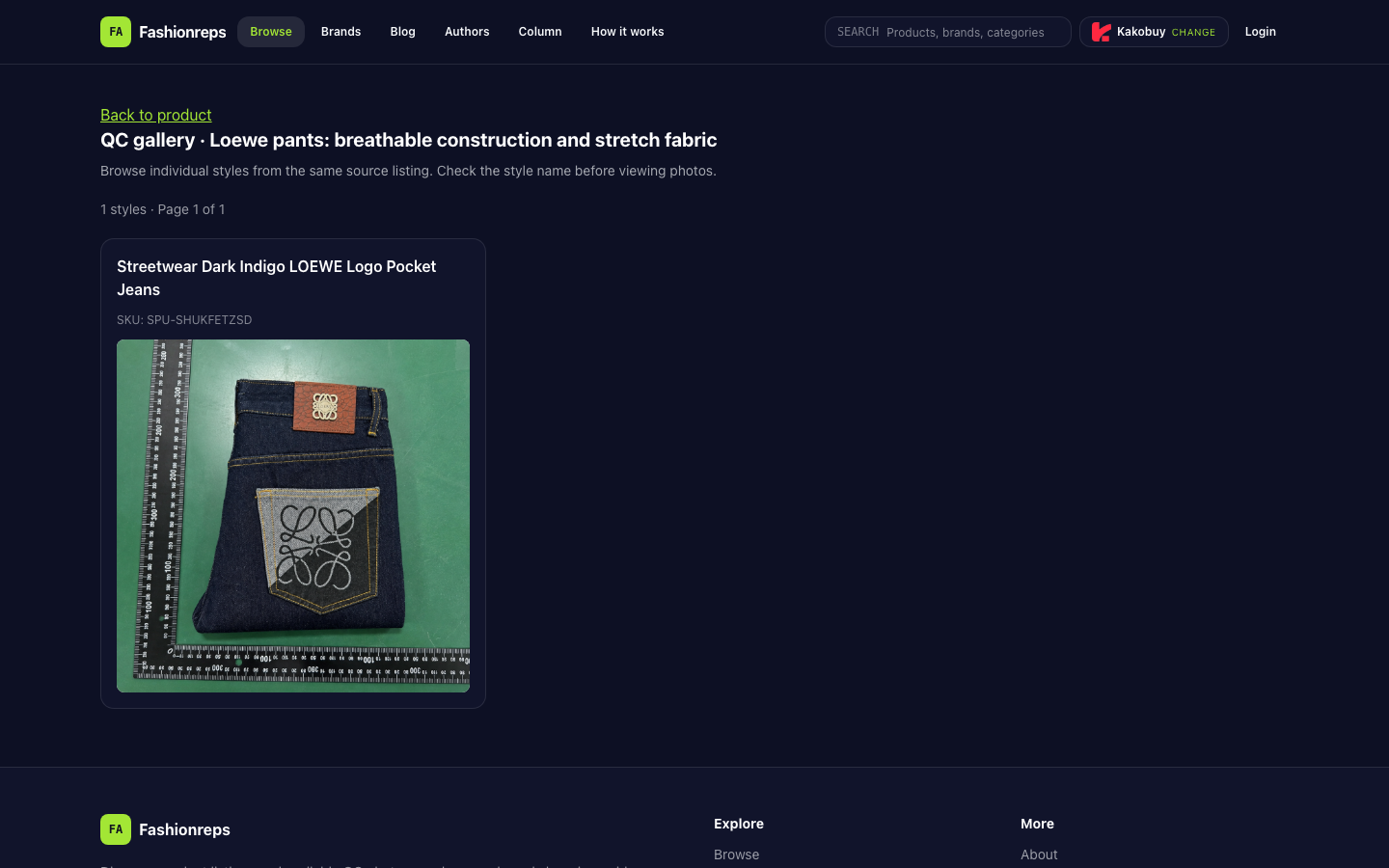
Product identification records should also be saved separately to avoid customer service not being able to determine which product you are inquiring about. The image below is from Fashionreps' Loewe product QC page, which can only be used as a product identification reference and cannot prove that payment was successful, an order was created, or the product has been shipped.

After Payment Failure, First Distinguish Three States
| Status Seen | What Can Be Judged Now | Next Step |
|---|---|---|
| Clearly shows failed or not submitted | The page did not confirm successful payment, but still need to check order list and payment channel | Check order first, then payment records |
| Shows processing, pending payment, or page stuck | Result is not yet determined, there may be a risk of duplicate payment | Pause operation, wait for status update and keep screenshots |
| Order has been generated and shows pending payment, paid, or pending confirmation | Order may have been created, cannot rely solely on failure prompt to pay again | Refer to order details and official customer service confirmation |
"Authorization" also does not equal final charge. The payment channel may first reserve an authorization, which may be automatically cancelled later, or it may be converted to a formal charge after merchant confirmation. The specific processing time and status names depend on the payment service provider; you cannot judge the order result solely by changes in bank card balance.
Safe Verification Sequence
1. Check the order list on the agent platform
Log in to the agent platform that actually collects payment or processes orders, and check pending payment, processing, paid, cancelled, and failed orders in sequence. Search by order time, product name, or order number, and note whether duplicate orders appear.
If there is a corresponding order in the order list, open the details to confirm the amount, currency, product information, and payment status. Do not immediately repay just because the checkout page shows a payment button again.
2. Compare with payment channel records
Open the transaction records of bank card, e-wallet, or other payment services to see if any of the following appear:
- Completed or posted
- Pending or authorizing
- Reversed, refunded, or failed
- Two records with the same or similar amount at the same time
If you see only one "pending" record, do not treat it as completed, and do not pay again immediately. If you see two records, take screenshots and record the transaction time, amount, merchant name, and transaction ID.
3. Check whether the platform redirect was completed
Some payment flows require returning to the agent platform after completing the payment service page to update the order status. Check browser history, email, or in-site notifications to confirm whether you returned to the order confirmation page. If the payment channel shows success, but the agent platform still shows failure, do not repeat payment; submit to customer service for verification.
4. Only re-enter once with a record
If both the order list and payment channel clearly show failure, and there are no processing or authorization records, you can reopen the original product or order draft, verify the product identity, quantity, and amount, and then decide whether to retry. Before retrying, save the new time and error information to avoid mixing multiple attempts.
What to Submit to Official Customer Service
You should contact the official customer service of the agent platform that actually handles orders and payments, not just the product page. Submitting complete materials at once is usually easier to verify than sending multiple scattered messages:
- Account information or public account identifier
- Order number or order draft number
- Product link and product identification information
- Payment attempt time, amount, and currency
- Page error screenshot and complete error message
- Payment channel status screenshot
- Necessary parts of transaction ID or authorization number
- Questions you want customer service to confirm: whether the order was created, whether payment was received, whether authorization will be cancelled, and whether it is safe to retry
Screenshots should cover the full card number, verification code, password, ID number, and other irrelevant sensitive information. If customer service requests a transaction ID, provide only the part needed for verification, and do not send account login credentials.
Stop Retrying When These Situations Occur
In any of the following situations, you should pause payment and wait for official confirmation:
- Payment channel shows processing or authorizing
- Order list already shows a corresponding order
- Two or more transactions for the same product and amount appear
- Payment succeeded but platform page shows failure
- Page is stuck after payment, unable to determine if redirect was successful
- Amount, currency, or payee name is inconsistent with expectation
- Customer service has not confirmed the previous result, but the page asks for payment again
Only if there is no order record, the payment record clearly failed, and customer service confirms that no order or valid authorization was created, is it appropriate to initiate a new payment. If still unable to confirm, keep this record and do not use multiple accounts or multiple payment methods for continuous trial and error.